Free AI Cat Ears Filter
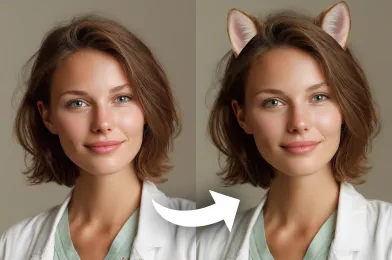
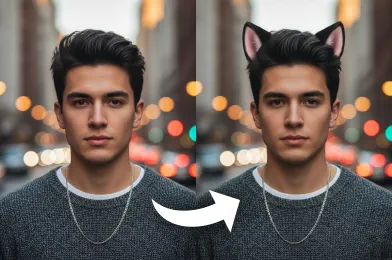
Add cute cat ears to any photo with the AI Cat Ears Filter. Create realistic, playful images instantly for fun, eye-catching results.
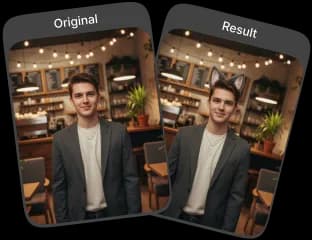
Upload Original Image
or drag and drop PNG, JPG or WEBP
Sample Images





Visual Results You'll Love
How to Use AI Cat Ears Filter?
Follow these three simple steps to add AI cat ears to your photos.
Upload Image
Select and upload the photo to which you want to add cat ears.
Apply Photo Effect
Our AI will automatically detect the face and apply the cat ears filter to your image.
Download & Share
Download your new photo with cat ears and share it with your friends.
Why This Tool Stands Out
Realistic Cat Ears
Our advanced AI ensures the ears blend naturally with your face, making the effect look lifelike and playful.
Fast and Instant Results
Our photo filter applies cat ears to your photo within seconds, giving you instant transformations without waiting.
No Sign-Up Required
Use the FaceSwapper AI tool instantly without creating an account—start transforming photos right away.
Safe and Secure
Your photos are processed securely, with our privacy respected and no storage beyond the transformation process.
How to Get the Best Results

Use Clear, Well-Lit Photos
For the most realistic cat ears effect, upload photos with good lighting and a clear view of your face. Avoid blurry or dark images as they may reduce accuracy.

Face the Camera Directly
Front-facing photos allow the AI to detect facial features more accurately, ensuring the cat ears align naturally with your head and expression.

Try Group Photos Carefully
If you want to use the effect on multiple people, make sure each face is visible and well-lit for best results.
Check Out Other Trending Image Effects



FAQs About AI Cat Ears Filter
 FaceSwapper
Ship faster with reliable pipelines, actionable insights, and enterprise‑grade controls - all in one platform.
All Copyright reserved @ 2026 FaceSwapper