AI Eyebrow Filter
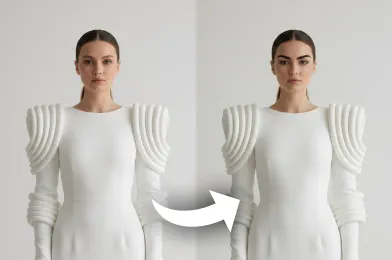
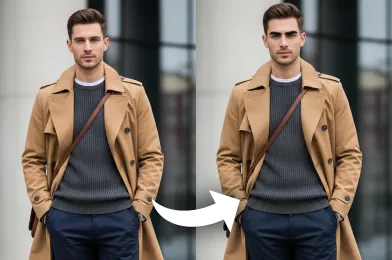
Instantly visualize new eyebrow shape using the AI Eyebrow Filter. See natural, well-blended effects on your photo to find the most flattering shape.
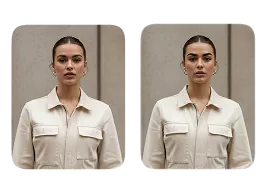
Upload Original Image
or drag and drop PNG, JPG or WEBP
Sample Images





What Incredible Results Await You
How to Use AI Eyebrow Filter?
Follow these simple steps to virtually try on different eyebrow styles using AI.
Upload Your Photo
Select and upload a clear, well-lit photo of your face to begin the process.
Try-on an Eyebrow Shape
The AI will analyze your facial features and apply the chosen eyebrow shape and style realistically on your photo.
Download and Share
Save the edited photo with your new eyebrows to your device to share with others.
Why You’ll Want to Use It
Find Your Perfect Eyebrow Shape
Instantly preview different eyebrow styles to see which one enhances your facial features the most.
Get Realistic, Natural-Looking Results
The AI blends each eyebrow style seamlessly with your photo, giving you lifelike previews you can trust.
Accurate Face Feature Detection
Advanced AI analyzes your face structure, ensuring that every eyebrow shape is applied with precision and realism.
Quick and Easy Style Comparison
View multiple brow looks side-by-side to confidently choose the style that matches your personality and face shape.
Expert Tips for Perfect Results

Choose a Clear, Front-Facing Photo
Use a well-lit, front-facing image where your eyebrows and facial features are fully visible. This helps the AI map and shape the brows with higher accuracy.

Keep Hair Away From Your Face
Ensure your eyebrows are not covered by hair or accessories. A clear view of the brow area allows the AI to apply the effect cleanly and naturally.

Use a High-Resolution Photo
Upload a high-quality image so the AI can analyze fine details. Higher resolution photos result in smoother, more realistic eyebrow shaping and blending.
Try More Popular Image Effects



Frequently Asked Questions
 FaceSwapper
Ship faster with reliable pipelines, actionable insights, and enterprise‑grade controls - all in one platform.
All Copyright reserved @ 2026 FaceSwapper