Add Sunglasses to Photo with AI
Want to add sunglasses to a photo? Our free AI tool lets you place realistic shades on any picture in just a few seconds. No sign-up needed.
Upload Original Image
or drag and drop PNG, JPG or WEBP
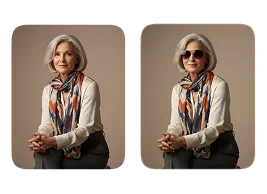
Sample Images





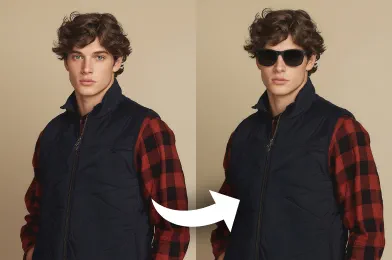
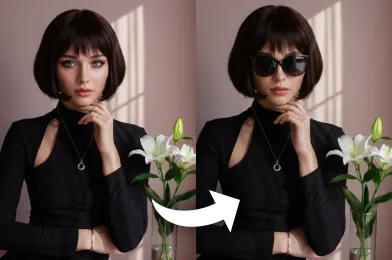
See the Stunning Results
How to Use Add Sunglasses To Photo?
Follow these three easy steps to add stylish sunglasses to your photos automatically.
Upload Image
Start by selecting and uploading the photo you wish to add sunglasses to.
Apply Photo Effect
Click the button and our AI will automatically detect the face and apply the sunglasses.
Download & Share
Save your newly edited photo to your device or share it with your friends online.
Key Benefits You’ll Experience
HD Quality Without Watermarks
Generate high-definition images that look professional while keeping your creations free of any watermarks.
Fast, Fun, and Easy for Everyone
Enjoy a quick and engaging experience that anyone can use, making photo editing both fun and approachable.
Realistic Results Every Time
Create images that feel natural and authentic, delivering outputs that match real-life expectations perfectly.
Enhance and Upgrade Your Photos
Improve your pictures with noticeable quality boosts, bringing out the best details in every image you create.
Pro Tips for Great Results

Start With a Clear Image
For the best outcome, use a high resolution image with good lighting. A clear face helps when you add sunglasses to photo.

Position the Face Correctly
For accurate placement, use photos where the face is looking forward. Avoid extreme angles to better add sunglasses to photo.

Avoid Facial Obstructions
Keep the eye area free from obstructions like hair or hands. A clear view of the face helps to neatly add sunglasses to photo.
See Other Cool Image Effects



FAQs About Add Sunglasses To Photo
 FaceSwapper
Ship faster with reliable pipelines, actionable insights, and enterprise‑grade controls - all in one platform.
All Copyright reserved @ 2026 FaceSwapper